
Table of Contents
Introduction: Why Insider Threats Are the Costliest Cybersecurity Risk
When security teams think about threats, the instinct is often to look outward — nation-state actors, ransomware gangs, phishing campaigns originating from distant servers. But some of the most damaging breaches in history didn’t come from the outside. They came from within.
Insider threats — whether from malicious employees, compromised credentials, negligent contractors, or disgruntled staff — represent one of the most complex and costly risks facing organizations today. According to industry research, the average cost of an insider threat incident exceeds $15 million annually per organization, and incidents take an average of 85 days to contain. Unlike external attacks, insiders already have authorized access. They know the systems. They know where the sensitive data lives.
Detecting these threats requires a different approach — one grounded in behavioral context, historical baselines, and correlation across multiple data sources. This is exactly where Splunk Enterprise Security (ES) excels.
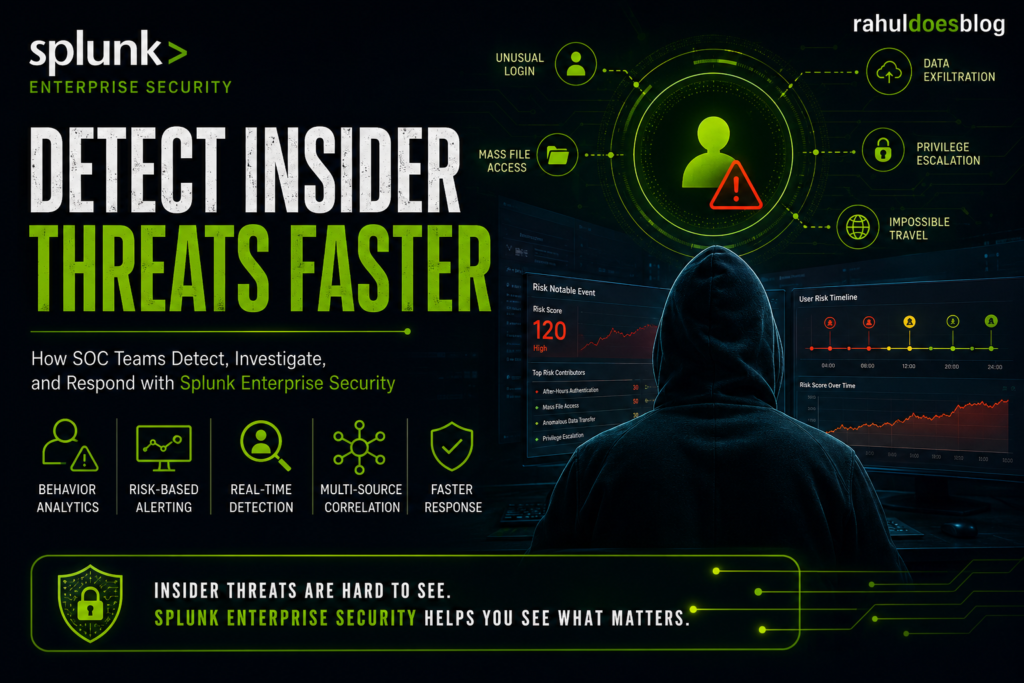
In this blog post, we walk through a comprehensive use case for Insider Threat Detection using Splunk Enterprise Security, covering detection strategy, data sources, correlation searches, risk scoring, and SOC response workflows. If you’re building or maturing a security monitoring program, this use case is one you simply cannot afford to overlook.
What Is an Insider Threat? Defining the Scope
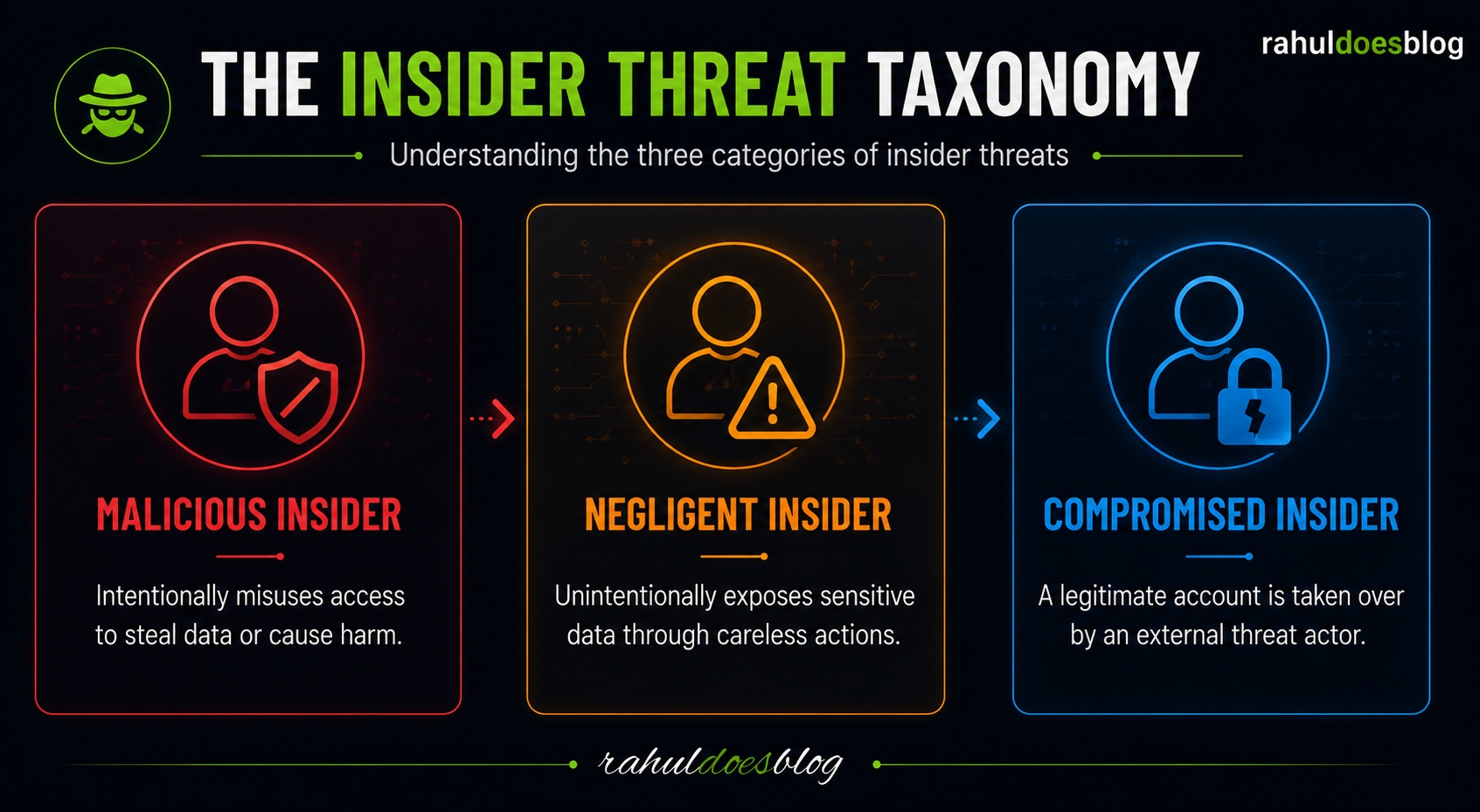
Before diving into the Splunk implementation, it’s important to define what we’re actually detecting. Insider threats broadly fall into three categories:
1. Malicious Insiders — Employees or contractors who intentionally steal data, sabotage systems, or abuse access for personal gain or to benefit a competitor.
2. Negligent Insiders — Users who unintentionally expose sensitive data through poor security hygiene: clicking phishing links, misconfiguring cloud storage, or using personal email for work files.
3. Compromised Insiders — Legitimate user accounts that have been taken over by external attackers through credential theft, phishing, or brute force. The user is innocent, but their identity is being weaponized.
Each category requires a slightly different detection lens, but all three share a common detection thread: anomalous behavior relative to established baselines.
Why Splunk Enterprise Security Is Ideal for Insider Threat Detection
Splunk ES is purpose-built for exactly this kind of multi-dimensional, behavior-aware detection. Unlike basic log management tools, Splunk ES provides:
Risk-Based Alerting (RBA): Instead of firing individual alerts for every suspicious event (which creates alert fatigue), Splunk ES accumulates risk scores on entities — users, systems, or IP addresses — over time. A single anomalous login might score 20 risk points. Accessing a sensitive file share adds another 30. Emailing a large archive externally adds 50 more. When a threshold is crossed, a high-fidelity alert is generated — one that tells a complete story.
User and Entity Behavior Analytics (UEBA): Splunk’s built-in and integrated UBA capabilities build behavioral baselines per user and detect deviations that indicate threat activity.
Correlation Searches: Pre-built and custom searches that correlate events across authentication logs, endpoint telemetry, DLP data, network traffic, and cloud activity in near real-time.
The Common Information Model (CIM): Normalizes data from hundreds of different sources — Windows Event Logs, Okta, CrowdStrike, Microsoft 365, Palo Alto firewalls — so correlation searches work across heterogeneous environments without custom parsing for every data source.
Key Data Sources for Insider Threat Detection in Splunk
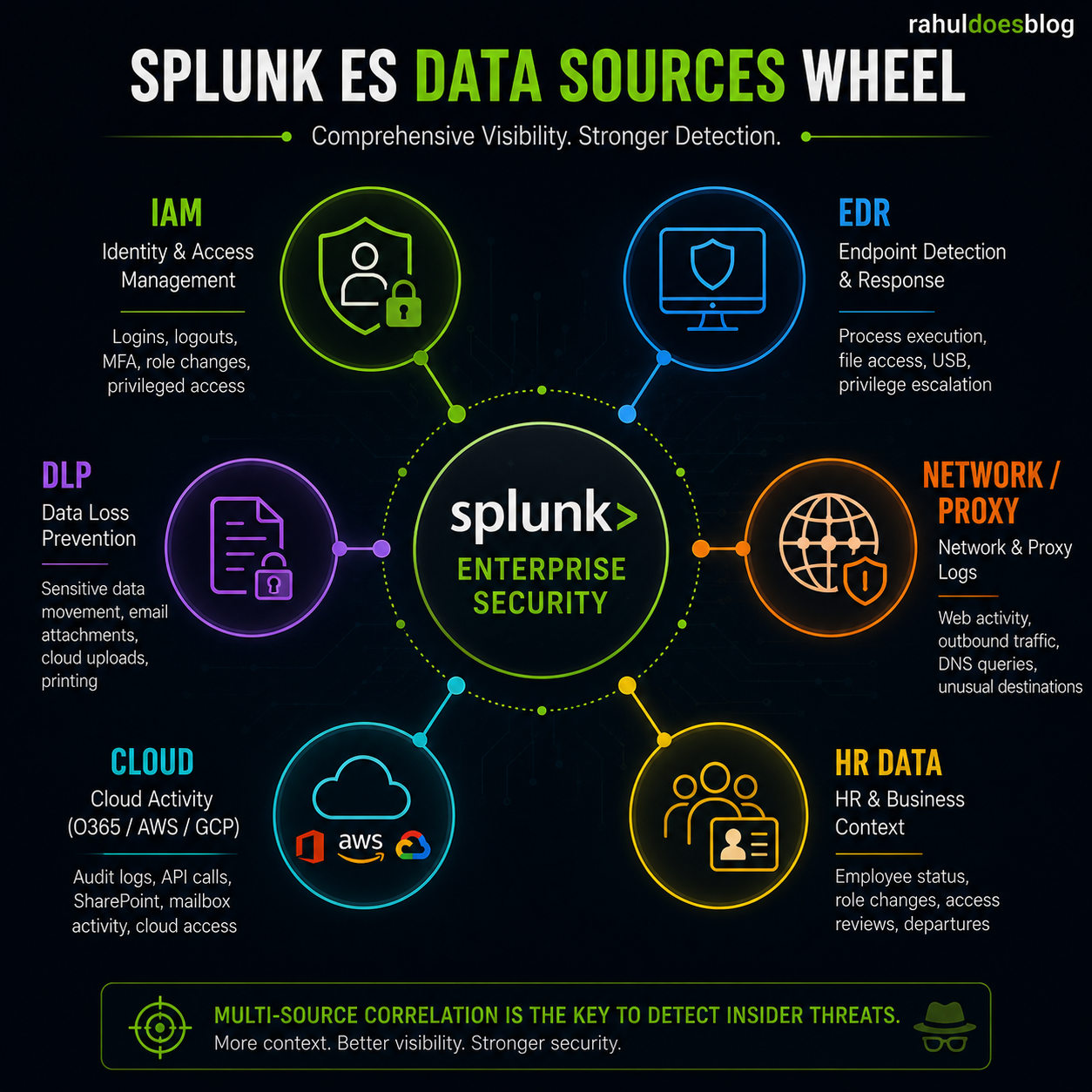
The effectiveness of your insider threat program is directly proportional to the breadth and quality of data you ingest into Splunk. The following data sources are essential:
Identity and Access Management (IAM) Windows Security Event Logs (Event IDs 4624, 4625, 4648, 4768, 4769), Active Directory changes, Okta or Azure AD authentication logs, and VPN access logs form the backbone of identity telemetry. These tell you who is logging in, from where, at what time, and how often they’re failing.
Endpoint Detection and Response (EDR) Tools like CrowdStrike Falcon, Microsoft Defender for Endpoint, or Carbon Black provide process execution data, file access logs, USB device usage, and privilege escalation events. This is critical for detecting local data staging and exfiltration prep activities.
Data Loss Prevention (DLP) DLP solutions such as Symantec DLP, Microsoft Purview, or Forcepoint provide alerts on sensitive data movement — large email attachments, cloud uploads to personal accounts, or printing of confidential documents.
Network and Proxy Logs Firewall logs, web proxy data, and DNS query logs reveal outbound connections to uncommon destinations, large data transfers to cloud storage (Dropbox, Google Drive, Mega), or connections to Tor exit nodes.
Cloud Activity (O365, AWS, GCP) Microsoft 365 audit logs capture SharePoint access, Teams message activity, and bulk email forwarding rules. AWS CloudTrail records API calls that can indicate unauthorized data access or privilege escalation in cloud environments.
HR and Business Context Data This is often overlooked but extremely powerful. Integrating HR data — pending termination notices, performance improvement plans, role changes, access provisioning events — adds critical behavioral context. An employee accessing large volumes of data the week before their resignation is a very different risk signal than random bulk access.
Building the Detection Logic: Core Correlation Searches
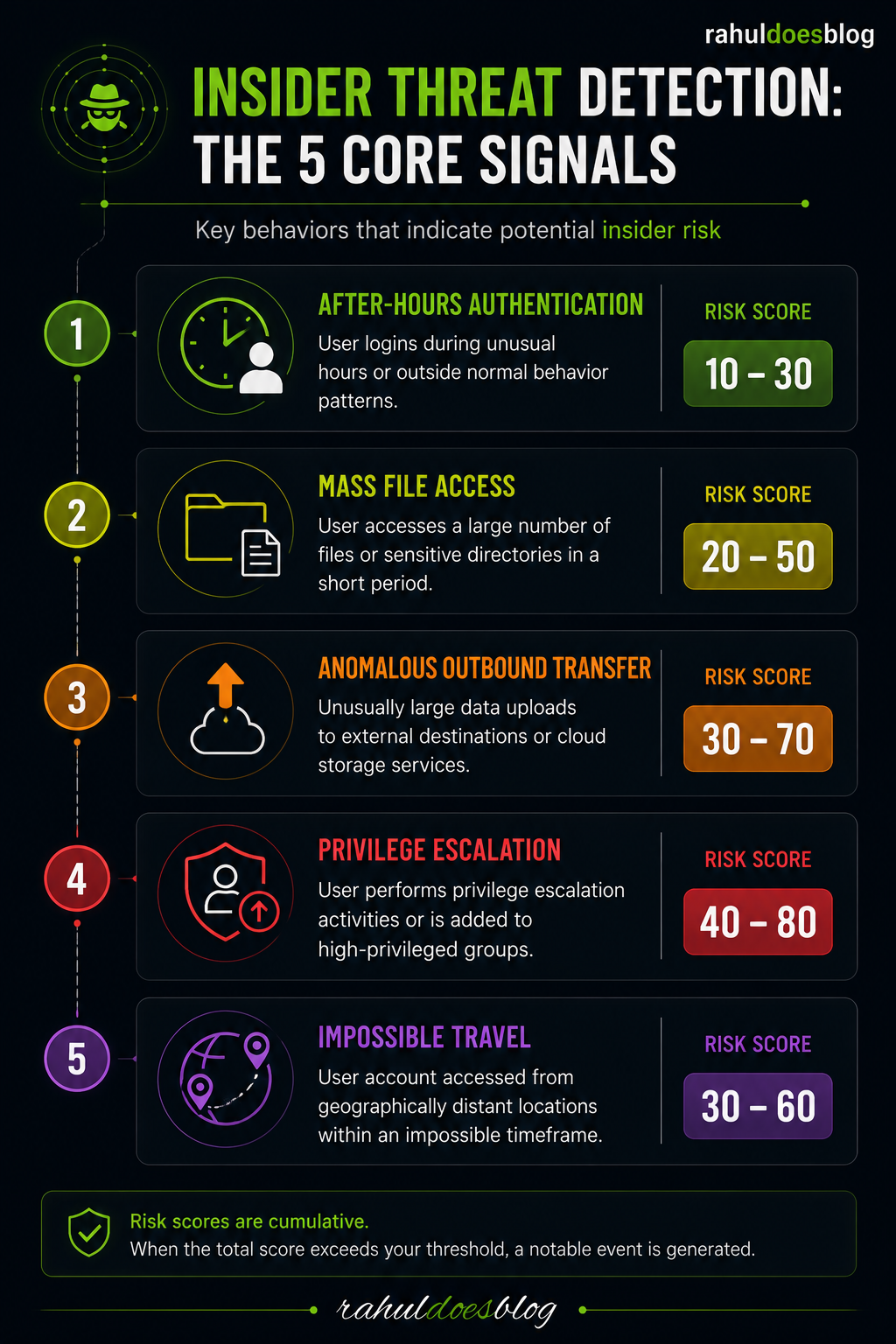
Here are the core detection scenarios you should implement in Splunk ES, each mapped to specific risk behaviors:
Detection Scenario 1: Unusual After-Hours Authentication
Employees typically follow predictable work schedules. Authentication activity at 2:00 AM from a known user’s corporate credentials — especially combined with access to sensitive systems — is a significant risk indicator.
Splunk Logic: Correlate authentication events (Windows Event ID 4624) with time-of-day baselines per user. Flag logins occurring outside the user’s historical 90th percentile working hours. Weight the risk score higher if the source IP is a new location or foreign country.
Risk Score Contribution: 30–50 points depending on geography and asset sensitivity.
Detection Scenario 2: Mass File Access and Data Staging
Before exfiltration, malicious insiders often access and copy large volumes of sensitive files to a staging location — a USB drive, a personal folder, or an email draft folder.
Splunk Logic: Correlate file access events from EDR or Windows file audit logs. Detect when a single user accesses more than N files within a defined time window — particularly files tagged as sensitive by DLP classification. Alert when volume significantly deviates from the user’s 30-day baseline.
Risk Score Contribution: 40–70 points based on file sensitivity classification.
Detection Scenario 3: Anomalous Outbound Data Transfer
Large file uploads to cloud storage, personal email services, or unknown external domains are a classic exfiltration pattern.
Splunk Logic: Use proxy and firewall logs to detect outbound transfers exceeding a dynamic threshold (e.g., more than 3x the user’s average daily upload volume). Cross-reference with DLP alerts. Flag transfers to domains categorized as personal cloud storage or file-sharing services.
Risk Score Contribution: 50–80 points based on transfer size and destination category.
Detection Scenario 4: Privilege Escalation and Lateral Movement
Compromised insiders or malicious users often seek to expand their access beyond their normal role — querying Active Directory for privileged groups, attempting to access systems outside their normal scope, or exploiting local admin rights.
Splunk Logic: Detect Kerberoasting attempts (Event ID 4769 with RC4 encryption), unusual use of PsExec or remote desktop from workstations, and access to systems not historically accessed by the user. Correlate with AD group membership changes.
Risk Score Contribution: 60–90 points — elevated for privileged account involvement.
Detection Scenario 5: Account Sharing or Credential Abuse
Multiple simultaneous sessions from geographically distant IPs, or a user account exhibiting login patterns inconsistent with a single human (e.g., logins every 3 minutes across dozens of systems) are strong indicators of credential compromise or account sharing.
Splunk Logic: Detect impossible travel scenarios — two authentications from IP geolocations physically separated by more distance than could be traveled in the elapsed time. Also detect concurrent sessions exceeding baseline thresholds.
Risk Score Contribution: 70–100 points — near-immediate escalation.
Implementing Risk-Based Alerting (RBA) for Insider Threats
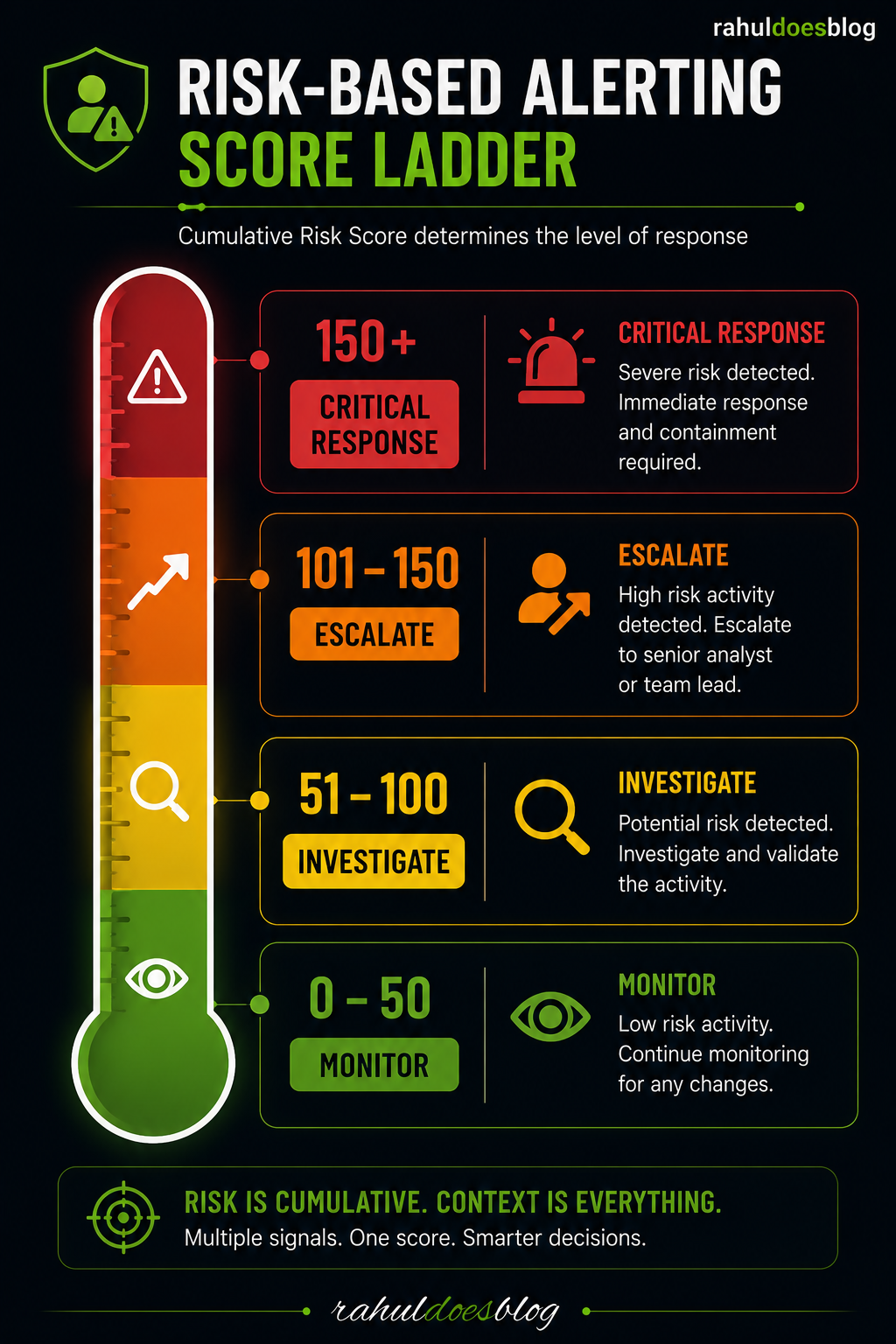
The power of Splunk ES’s Risk-Based Alerting framework is that none of these individual detections need to trigger a page-worthy alert in isolation. Instead, each detection contributes risk points to a Risk Object — typically the user’s identity.
When the cumulative risk score for a user crosses a defined threshold (commonly 100–200 points depending on your environment), Splunk ES generates a Notable Event in the Incident Review dashboard. This Notable Event contains a timeline of all the contributing risk events — painting a complete picture of the behavior chain for the analyst.
This dramatically reduces false positives while ensuring high-risk behavior chains don’t get lost in alert noise. A single after-hours login might not warrant a phone call at midnight — but an after-hours login, followed by mass file access, followed by a large upload to Dropbox absolutely does.
SOC Response Workflow for Insider Threat Alerts
When a notable event fires in Splunk ES, the analyst response should follow a structured workflow:
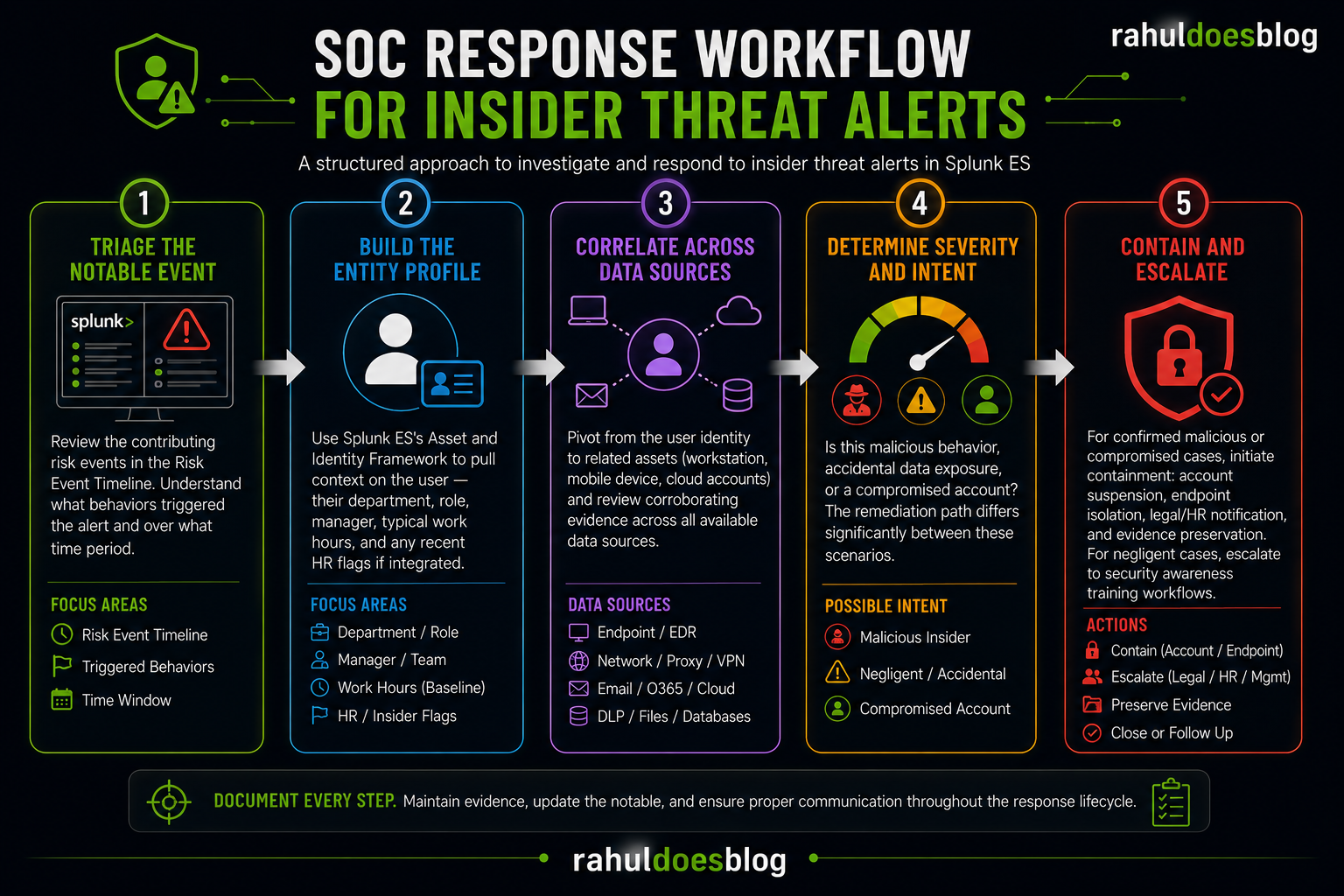
Step 1 — Triage the Notable Event: Review the contributing risk events in the Risk Event Timeline. Understand what behaviors triggered the alert and over what time period.
Step 2 — Build the Entity Profile: Use Splunk ES’s Asset and Identity Framework to pull context on the user — their department, role, manager, typical work hours, and any recent HR flags if that data is integrated.
Step 3 — Correlate Across Data Sources: Pivot from the user identity to related assets (their workstation, mobile device, cloud accounts) and review corroborating evidence across all available data sources.
Step 4 — Determine Severity and Intent: Is this malicious behavior, accidental data exposure, or a compromised account? The remediation path differs significantly between these scenarios.
Step 5 — Contain and Escalate: For confirmed malicious or compromised cases, initiate containment: account suspension, endpoint isolation, legal/HR notification, and evidence preservation. For negligent cases, escalate to security awareness training workflows.
Metrics That Matter: Measuring Your Insider Threat Program
A mature Splunk ES deployment should track these KPIs for the insider threat use case:
Mean Time to Detect (MTTD): How long from the first anomalous event to notable event generation. Target: under 24 hours for high-risk behavior chains.
Mean Time to Respond (MTTR): From notable event creation to analyst disposition. Target: under 4 hours for critical-scored events.
False Positive Rate: Percentage of insider threat alerts that are closed as non-malicious after investigation. High false positive rates indicate that risk thresholds or baseline periods need tuning.
Risk Score Accuracy: Track whether high-scored entities actually result in confirmed incidents over time. This validates your risk scoring model and helps tune weights.
Conclusion: Insider Threats Demand a Proactive, Behavioral Detection Strategy
Perimeter-based security is no longer sufficient in a world of cloud adoption, remote work, and complex supply chains. The insider threat vector demands a fundamentally different approach — one built on behavioral baselines, rich data correlation, and contextual risk scoring rather than simple signature matching.
Splunk Enterprise Security, when properly configured with the right data sources and a well-tuned Risk-Based Alerting model, gives security teams the visibility and intelligence they need to detect insider threats early — before data leaves the organization, before systems are sabotaged, and before the investigation becomes a forensic exercise rather than a preventive one.
Building this capability isn’t a one-time project. It’s an ongoing program that requires continuous tuning, integration of new data sources, and close collaboration between the SOC, HR, legal, and IT teams. But the investment pays dividends: faster detection, fewer breaches, and a security posture that matches the complexity of the threat landscape.