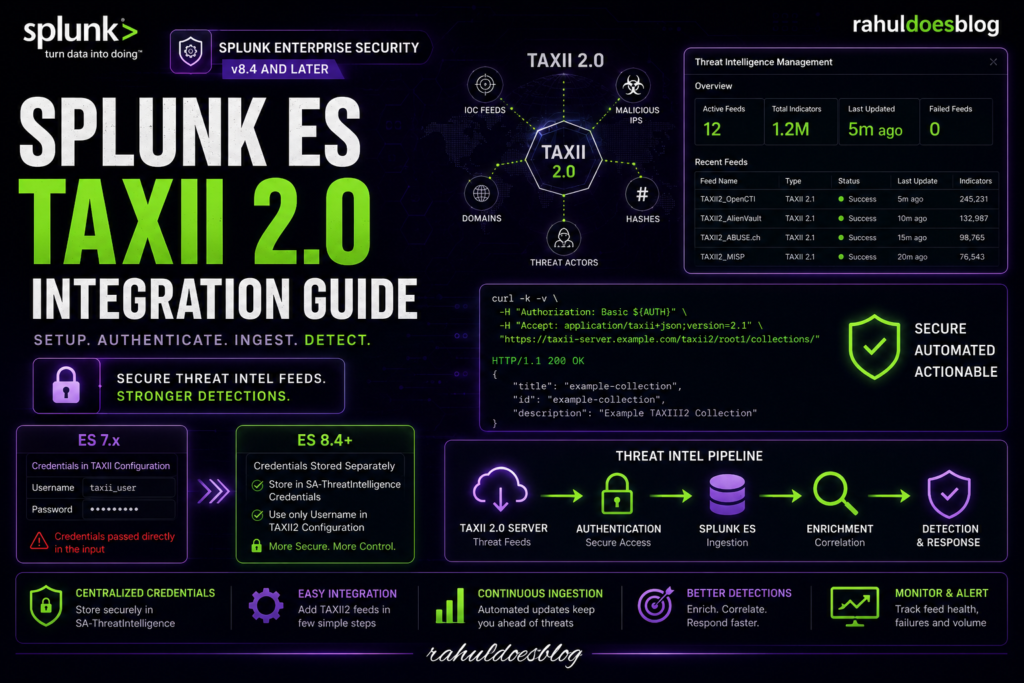
Splunk ES TAXII 2.0 Integration Guide (ES 8.4+)

Learn how to integrate TAXII 2.0 threat intelligence feeds in Splunk Enterprise Security 8.4 and later. Step-by-step setup guide, authentication changes from ES 7.x, troubleshooting tips, and TAXII2 configuration best practices.

🚨 Why TAXII2 Matters in Splunk ES

Threat intelligence is only useful when it is:

  • Automated
  • Updated continuously
  • Actionable inside detections

That’s where TAXII2 comes in.

With Splunk Enterprise Security, TAXII2 allows security teams to ingest:

  • IOC feeds
  • Malicious IPs
  • Domains
  • File hashes
  • Threat actor indicators

…directly into ES for correlation and detection.

But here’s the catch:

The configuration process changed significantly between ES 7.x and ES 8.4+.

And that’s exactly where many integrations fail.

🧠 Key Difference Between ES 7.x and ES 8.4+

This is the MOST IMPORTANT section.


🔄 Authentication Changes (ES 7.x vs ES 8.4)

FeatureES 7.xES 8.4+
Username/Password in TAXII Config✅ Directly inside TAXII configuration❌ No longer recommended
Credential StorageInside modular input✅ Stored separately
Credential ManagementBasic✅ Centralized credential store
App UsedThreat Intelligence Framework✅ SA-ThreatIntelligence
Security ModelPlain parameter passing✅ Secure credential reference

🚨 Major Change in ES 8.4+

In ES 8.4 and later:

Credentials are no longer passed directly in the TAXII2 input configuration.

Instead:

  1. Credentials are stored securely in:
    • SA-ThreatIntelligence → Configuration → Credentials
  2. TAXII2 configuration references ONLY the username

This is one of the biggest behavioral differences from older versions.

🖥️ Step 1: Open Threat Intelligence Settings

Navigate to:

 Splunk Enterprise Security
→ Configure
→ Data Enrichment
→ Threat Intelligence Management
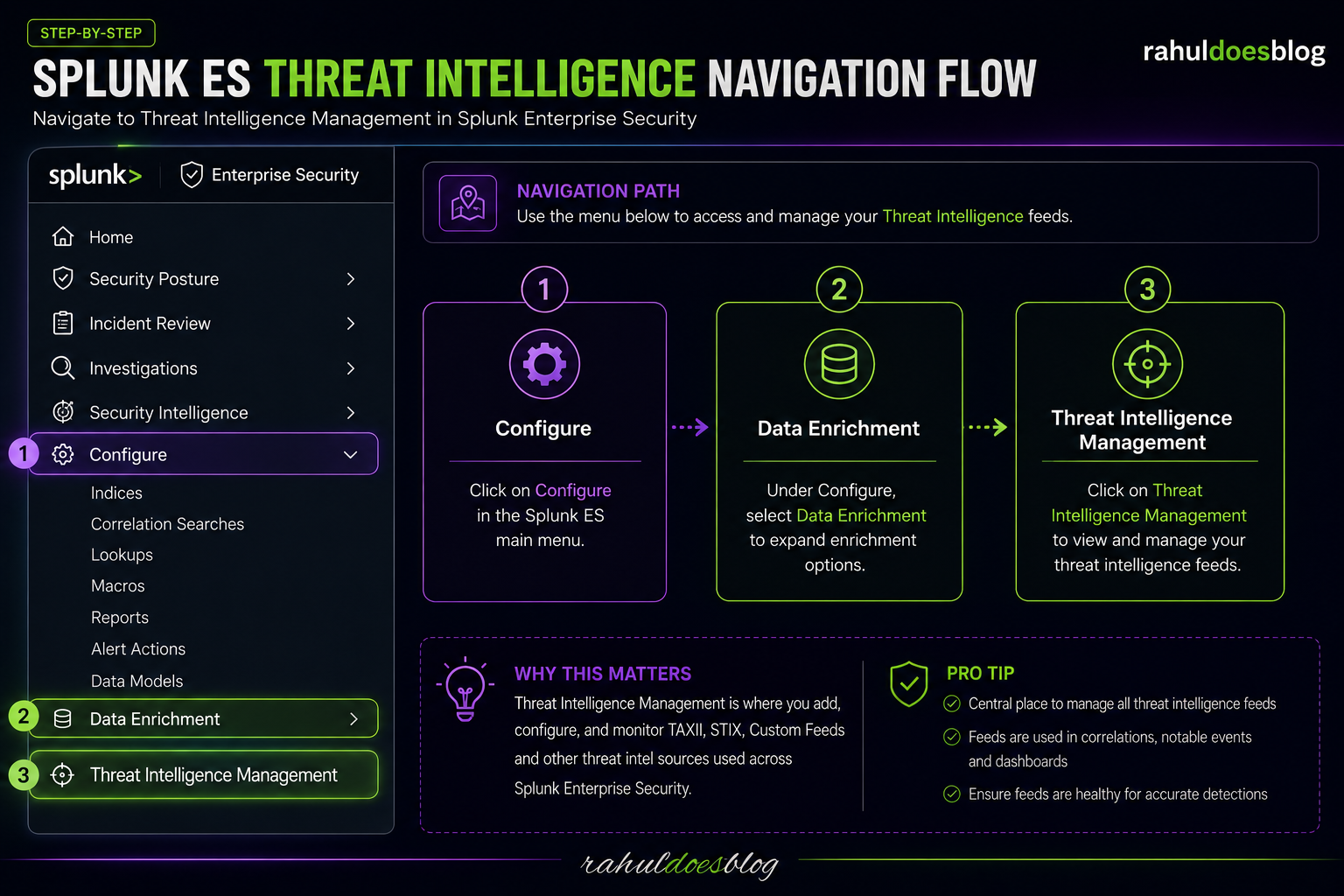
Splunk ES Threat Intelligence Navigation Flow

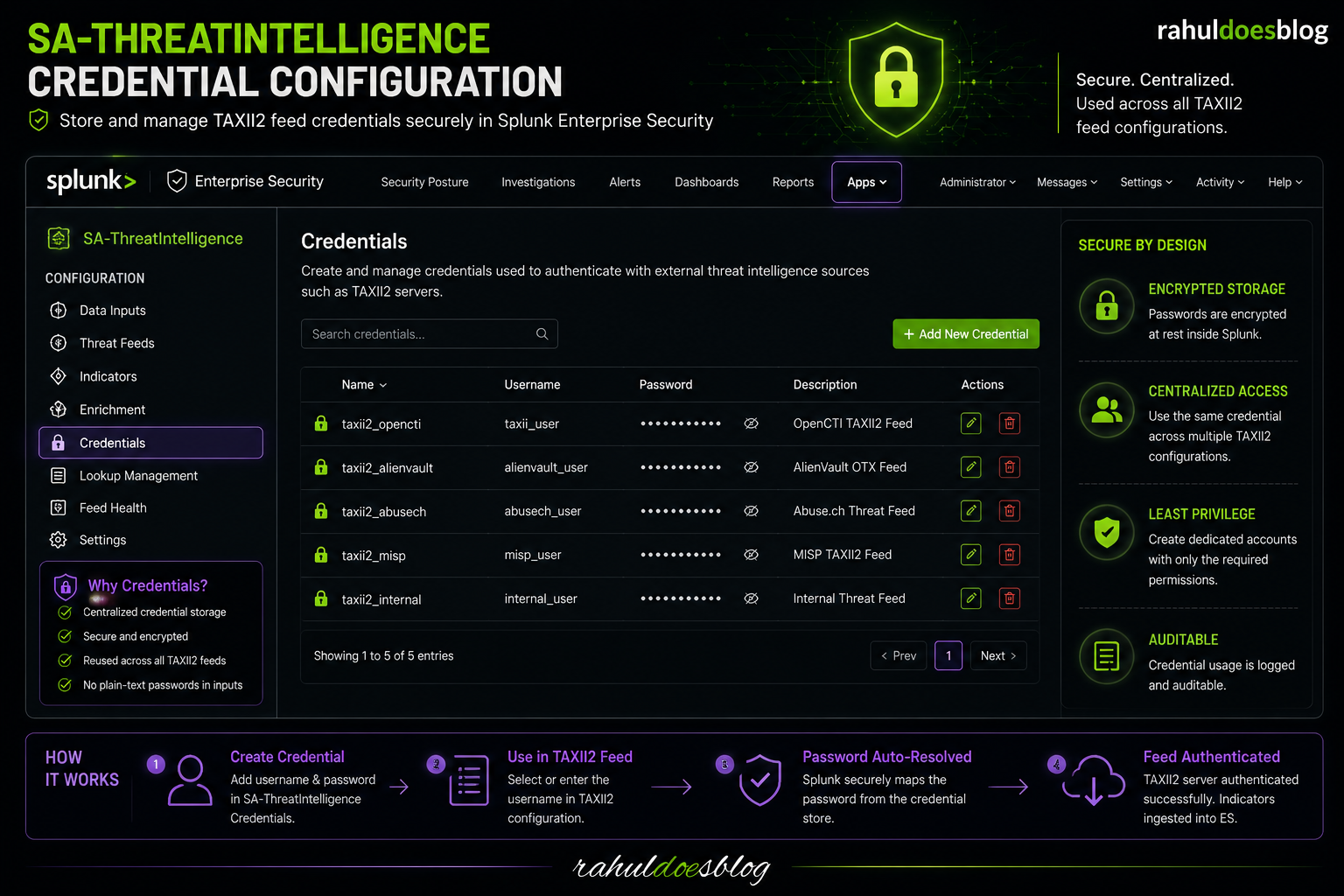
🔑 Step 2: Add Credentials (NEW in ES 8.4+)

Now open:

Apps → SA-ThreatIntelligence
→ Configuration
→ Credentials
🧠 Why This Matters

In ES 8.4+, Splunk stores credentials securely and references them internally.

This prevents:

  • Plain-text passwords
  • Exposure inside modular input configs
  • Credential leakage during app exports

🧪 Example Credential Entry

FieldValue
Usernametaxii_user
Password********
SA-ThreatIntelligence Credential Configuration

🌐 Step 3: Configure TAXII2 Feed

Now configure the TAXII2 server.

Go to:

 Threat Intelligence Management
→ Add New Feed
 

📋 Example TAXII2 Parameters

ParameterExample
Feed NameTAXII2_OpenCTI
Endpoint URLhttps://example.com/taxii2/root1/collections/
Collectionmalware-feed
TAXII Version2.1
Usernametaxii_user
Password❌ Leave blank in ES 8.4+

🚨 IMPORTANT

In ES 8.4+:

✅ Enter ONLY the username
❌ Do NOT manually enter password here

Splunk automatically maps the password from:

  • SA-ThreatIntelligence credential store
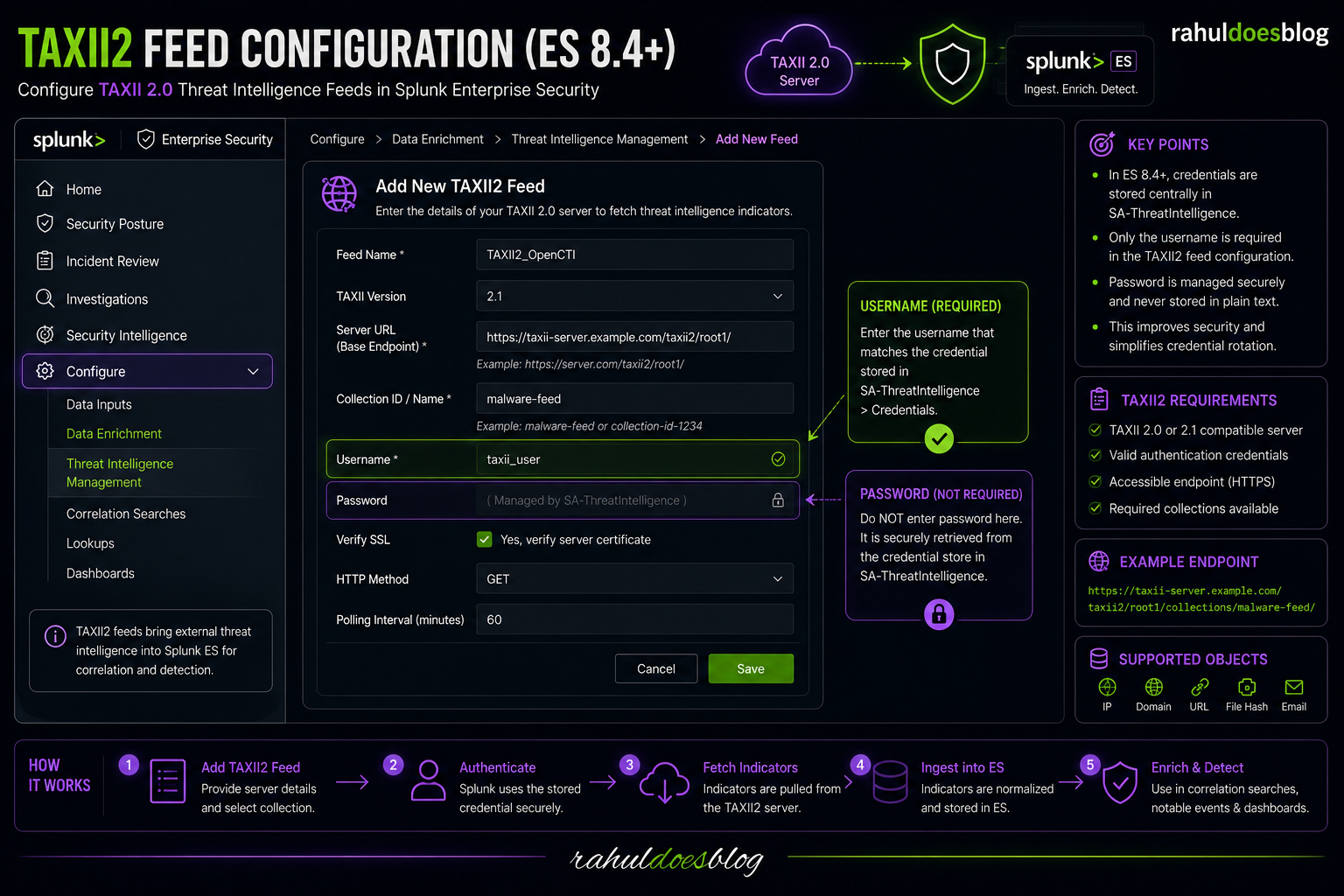
TAXII2 Feed Configuration (ES 8.4+)

🔍 Step 4: Validate TAXII Endpoint Using CURL

Before blaming Splunk…
always validate the endpoint manually.

				
					AUTH=$(printf '%s' 'username:password' | base64 -w 0)

curl -k -v \
-H "Authorization: Basic ${AUTH}" \
-H "Accept: application/taxii+json;version=2.1" \
"https://taxii-server.example.com/taxii2/root1/collections/"


🧠 Expected Result

You should receive:

  • HTTP 200
  • JSON response
  • Available TAXII collections

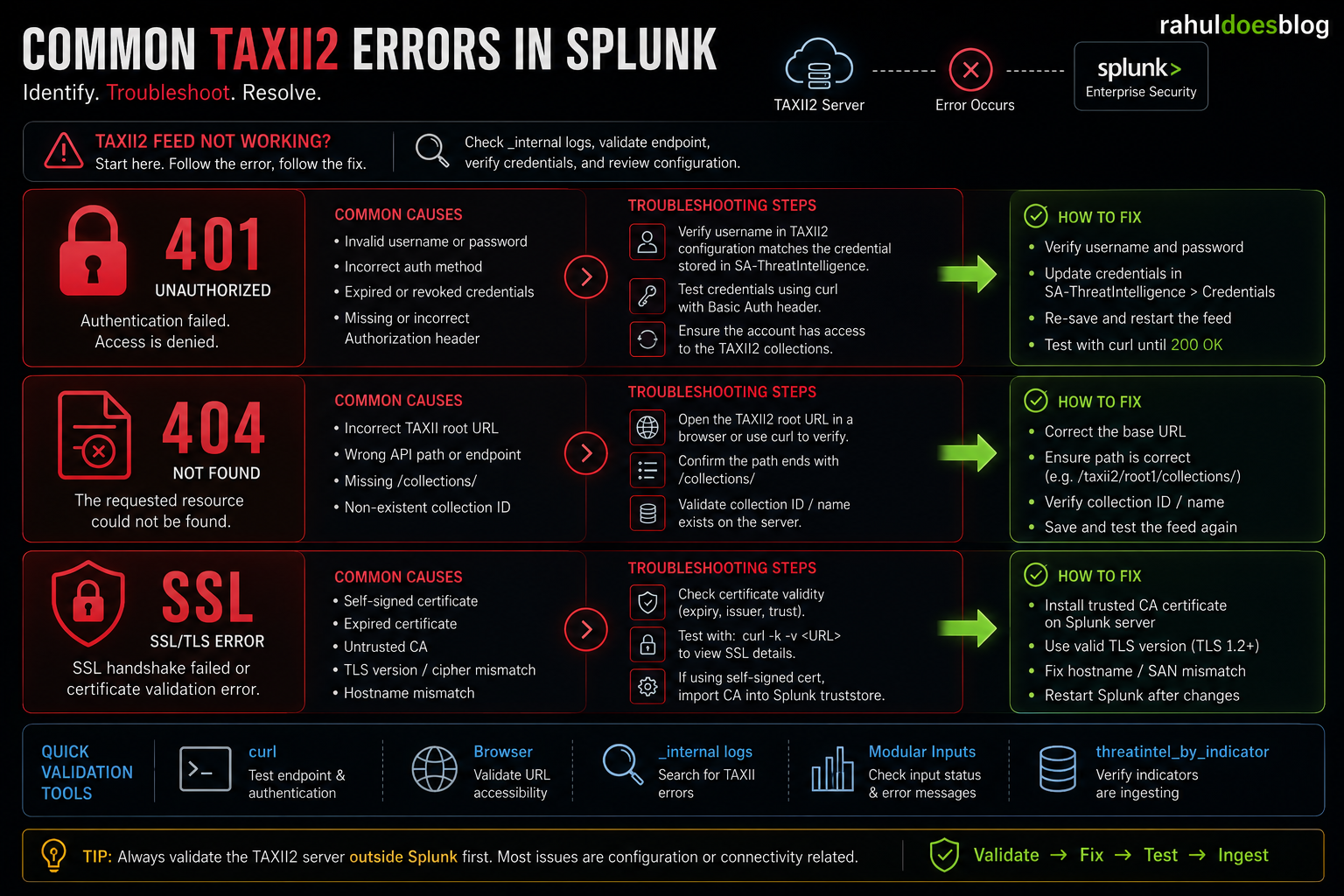
🚨 Common Errors

Common TAXII2 Errors in Splunk

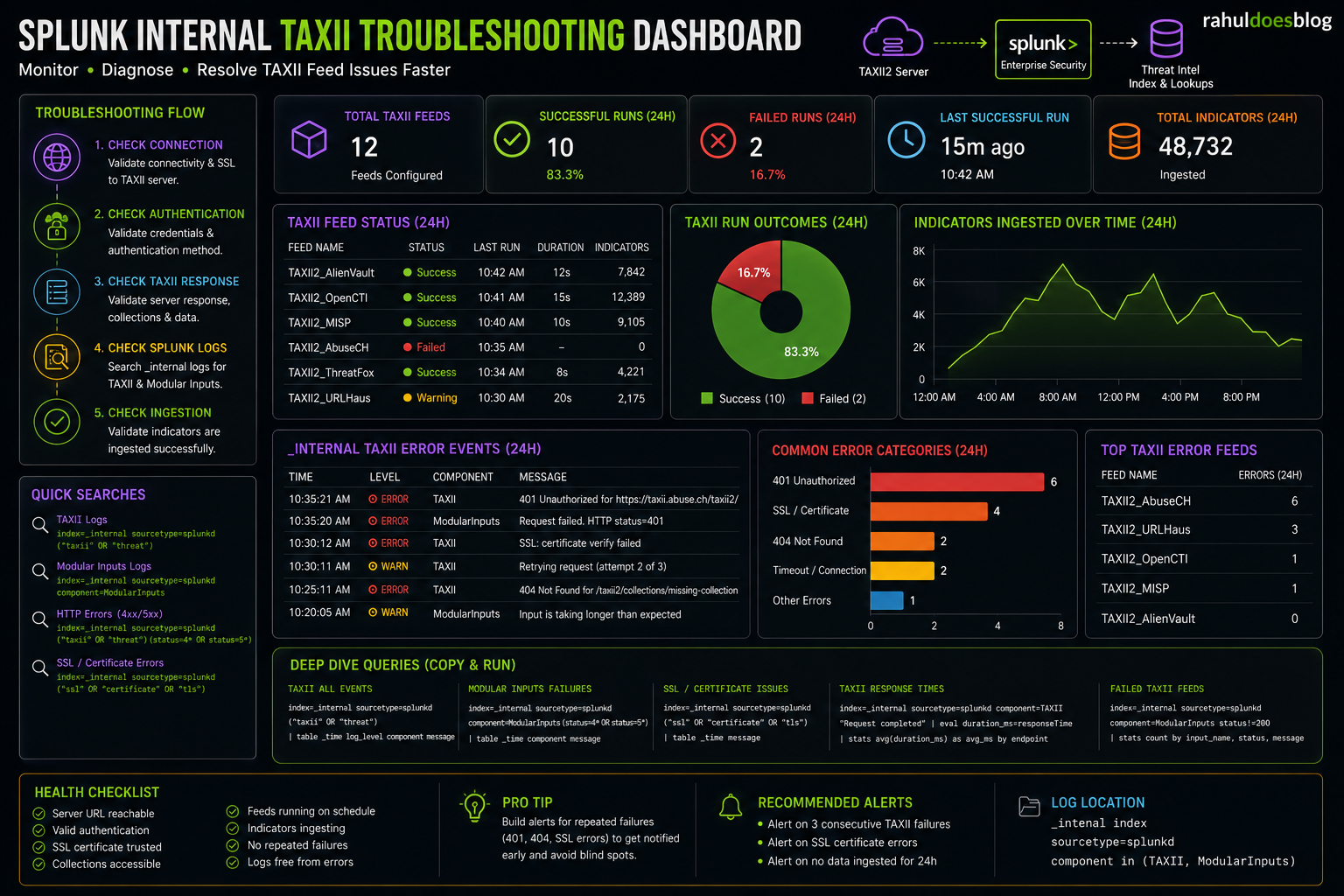
🛠️ Step 5: Check Splunk Internal Logs

Splunk Internal TAXII Troubleshooting Dashboard

🔥 Real-World Lessons Learned


⚠️ ES 7.x Migration Pitfall

Many engineers upgrading to ES 8.4:

  • Still try to pass passwords directly
  • Result:
    • Auth failures
    • Feed failures
    • Confusing errors

⚠️ TAXII2 Endpoint Validation

Always test:

  • CURL
  • Browser
  • Authentication headers

before configuring Splunk.

✍️ Final Thoughts

TAXII2 integration in Splunk ES 8.4+ is significantly more secure and modular than previous versions.

But if you miss the credential handling change…

You’ll spend hours troubleshooting authentication failures that aren’t actually TAXII issues.

RELATED ARTICLES